
For municipal contractors and lighting designers, a photometric file is only as reliable as its link to the physical fixture on the pallet. An LED street light IES file that does not correspond to the actual LED street light can silently invalidate an entire DIALux or AGi32 simulation, leading to rejected submittals or under-lit roadways. Verification requires moving beyond the file’s graphical preview and checking the identity, measurement integrity, and optical orientation of the data against the delivered product.
Start with the file’s identity fields, not its light distribution curve. Open the LED road light ies file in a plain text editor—avoid word processors that may alter the format—and locate the header keywords . The [LUMCAT] and [LUMINAIR] fields should reference the exact model number and optical configuration of the supplied luminaire. A file labeled for a 120W Type II fixture cannot validate a 150W Type Ⅲ unit, even if the curves appear visually similar. Cross-check the [MANUFAC] entry and the test laboratory identified under [TESTLAB] against the product datasheet. A common failure mode in the industry involves suppliers providing LM-79 reports for units that differ from the shipped product in LED binning, lens type, or driver current . If the LED street light IES file’s metadata points to a prototype or a different wattage package, the photometry is not transferable.
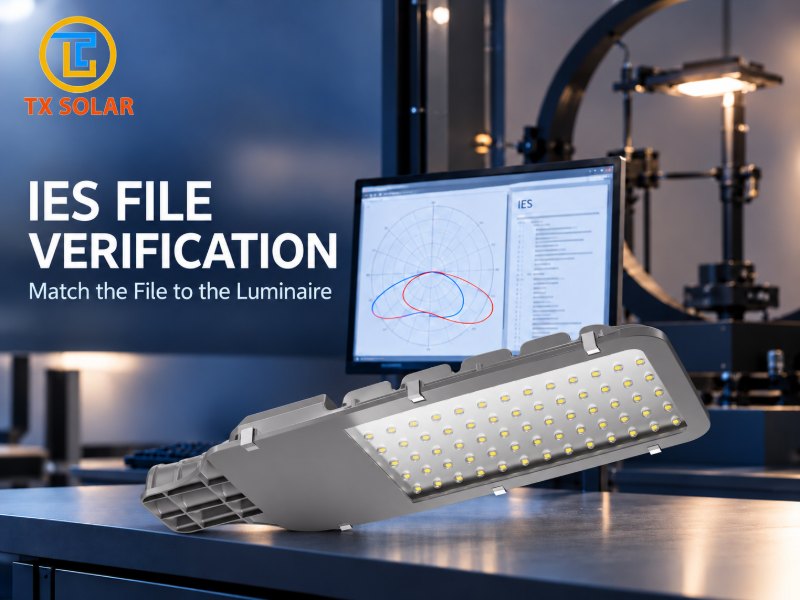
Confirm that the file represents absolute photometry measured on the complete luminaire. LED street lights require absolute photometry because the light source cannot be separated from the fixture’s thermal and optical system . In the LED street light IES file, check the input watts field near the photometric data block. This value should align with the luminaire’s rated system wattage, within a reasonable tolerance for driver efficiency. If the LED street light IES file was generated through optical design software rather than physical goniophotometer testing, the input watts may be theoretical or absent. Such virtual photometry is not equivalent to LM-79 test data and should not be accepted for verification purposes . For a legitimate test report, the file’s total luminous flux, when divided by the input watts, should yield an efficacy figure consistent with the product specification sheet.
Examine the coordinate counts and candela multiplier for internal consistency. The LED road light IES file format declares the number of vertical and horizontal angles in the measurement grid. A careful reviewer should count the actual angle entries listed later in the file and confirm they match the declared totals . A mismatch between declared and actual coordinate arrays suggests a corrupted or manually edited file. The candela multiplier field, typically set to 1 for absolute photometry, should not deviate unexpectedly; an unexplained multiplier can artificially inflate or deflate intensity values. Additionally, verify that the photometric type corresponds to roadway luminaires—Type C is standard for street lighting—and that the luminous dimensions for length, width, and height are plausible for the physical housing.
Test the raw candela data against the rendered polar plot. IES viewers generate smooth curves that can mask inconsistencies in the underlying measurements. Select a few specific angle pairs, such as the maximum intensity angle and a point at 90 degrees lateral, and locate their candela values in the raw data matrix. Then compare those numbers to the visual peak and falloff shown in the polar or 3D rendering . If the plot displays a strong forward throw but the raw values at the corresponding vertical angles are unremarkable, the file may have been altered or the wrong horizontal plane may be active. For asymmetric roadway optics, the intensity at the 0-degree horizontal plane should differ meaningfully from the 180-degree plane; a perfectly symmetrical distribution on a Type II or Type Ⅲ luminaire is a warning sign.
Finally, validate orientation in the design software before accepting the simulation. Even a genuine LED road light IES file produces incorrect results if imported with the wrong rotation relative to the roadway. In DIALux evo, confirm that the file’s zero-degree horizontal plane faces the direction intended by the optical design—typically toward the roadway center or along the traffic flow . A file that is rotated 90 degrees will generate a plausible-looking but fundamentally flawed uniformity calculation. Compare the simulated iso-lux contours against the manufacturer’s published distribution diagram; if the lobes point in the wrong direction, the file-to-fixture match has failed regardless of the header metadata.
For manufacturers and contractors, the practical takeaway is that an LED road light IES file is a chain of custody document as much as a photometric one. The model number, test identity, wattage, and angular grid must all point to the same physical object that will be mounted on the pole. Any discrepancy warrants a request for the original LM-79 test report and a clarification of the exact optical configuration shipped.
Post time: Oct-23-2026


